
HawkTV - WebPlayer Browser Link for Desktops, Laptops, etc.

WebPlayer Browser App for Laptops, Desktops, etc. (HawkTV Playlist)

(*NOTE - this will use a connection of your subscription)

Navigate to this website. http://webtv.iptvblinkplayer.com/ 

Then, it will ask you for 4 pieces of information to get the HawkTV playlist enabled.

Profile Name: HawkTV
Enter URL: http://www.laceylou.lol:826
Username: Your Username
Password: Your Password
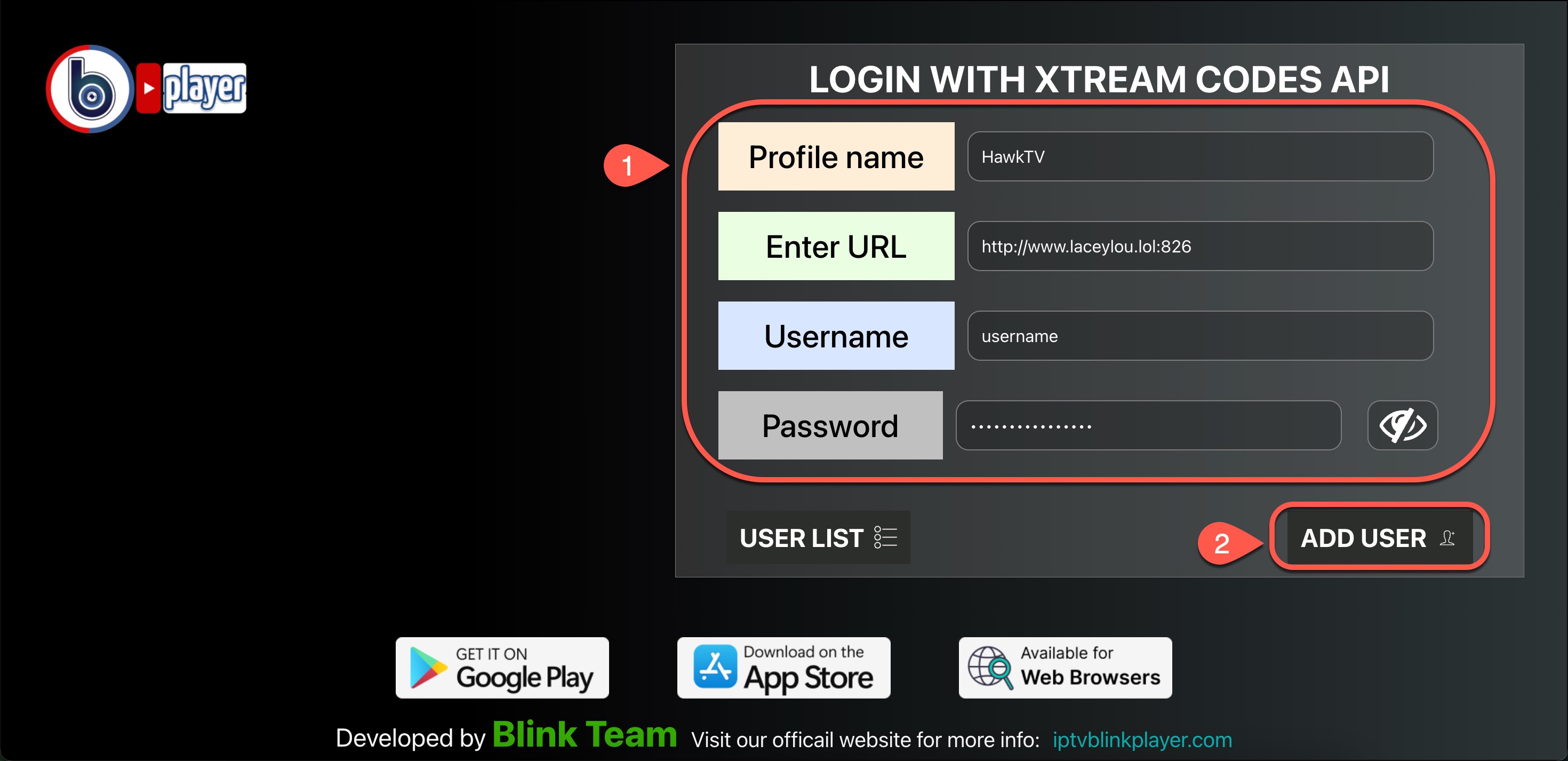
Then click on "Add User" & Once you're logged in click on "Live TV", then choose a category, then the channels will appear on the left.

  • 33 Uživatelům pomohlo
Byla tato odpověď nápomocná?

Související články

HawkTV - How to record to external storage

*Note - the easiest way to record HawkTV is to purchase a device that has optimal storage space....

HawkTV - Phones / Tablets - Adding the HawkTV Playlist to the Smarters app

Search for the 'Smarters Player Lite' app from the Google Play or Apple App store and install it...

HawkTV - How to create custom groups

1) From the TV guide, long-press the OK button on your remote.   2) A menu will pop out on the...

HawkTV - How to add favorites

Adding channels to the Favorites group. From the Guide click on the channel you want to add,...