
How do I add a new payment method?

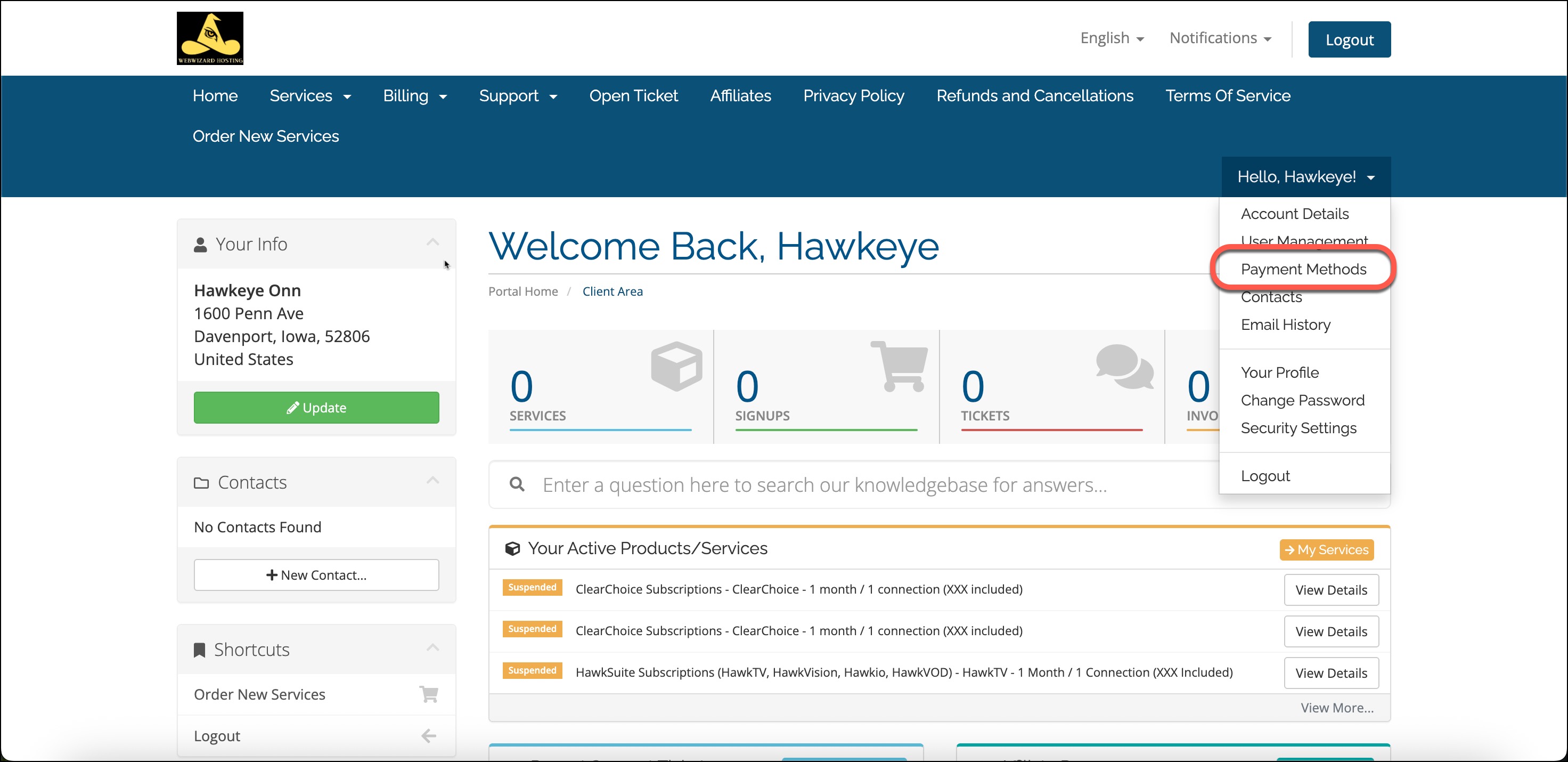
Log into your account and then click on your name and click on "Payment Methods"
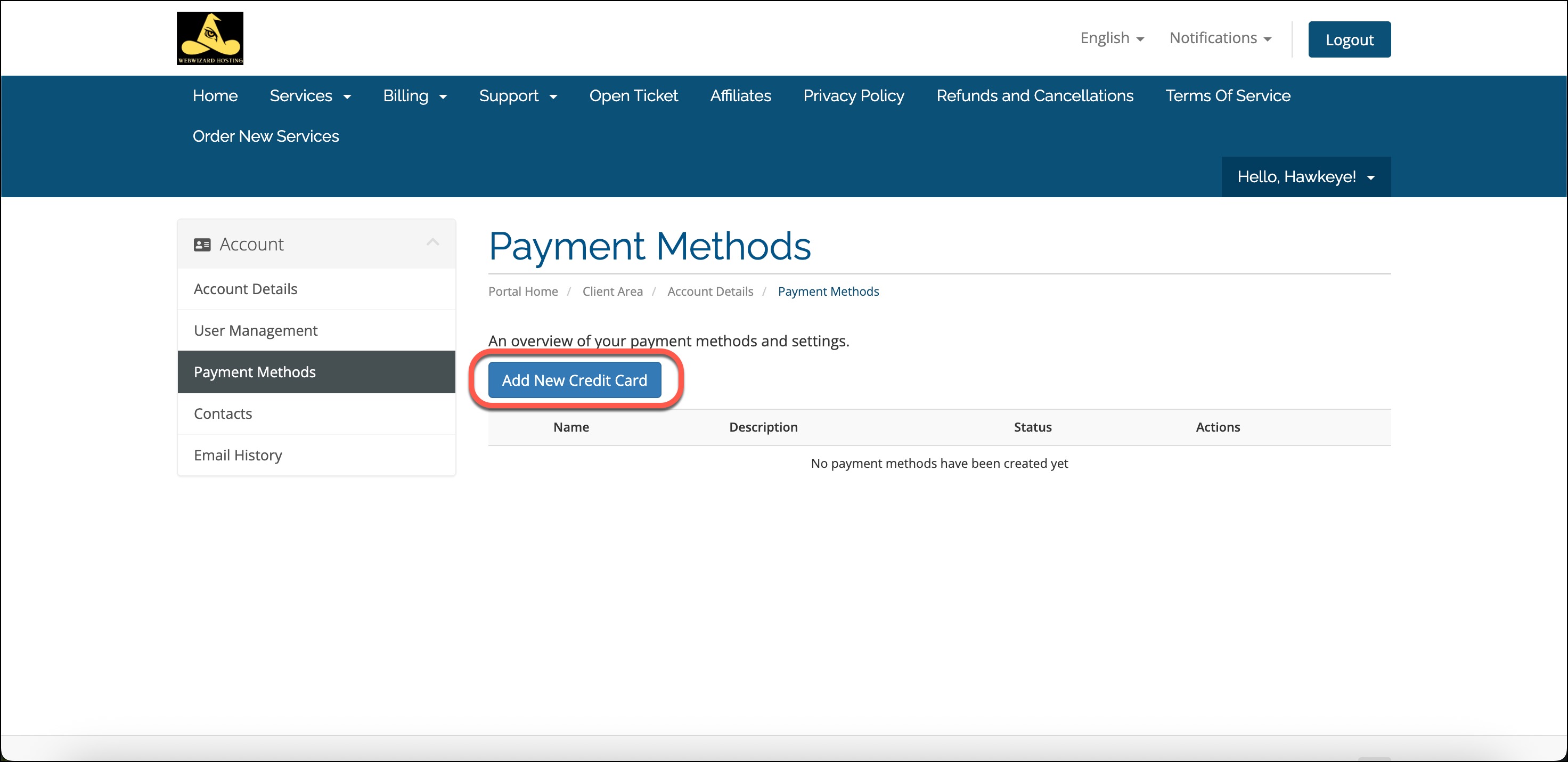
Click on "Add New Credit Card". 
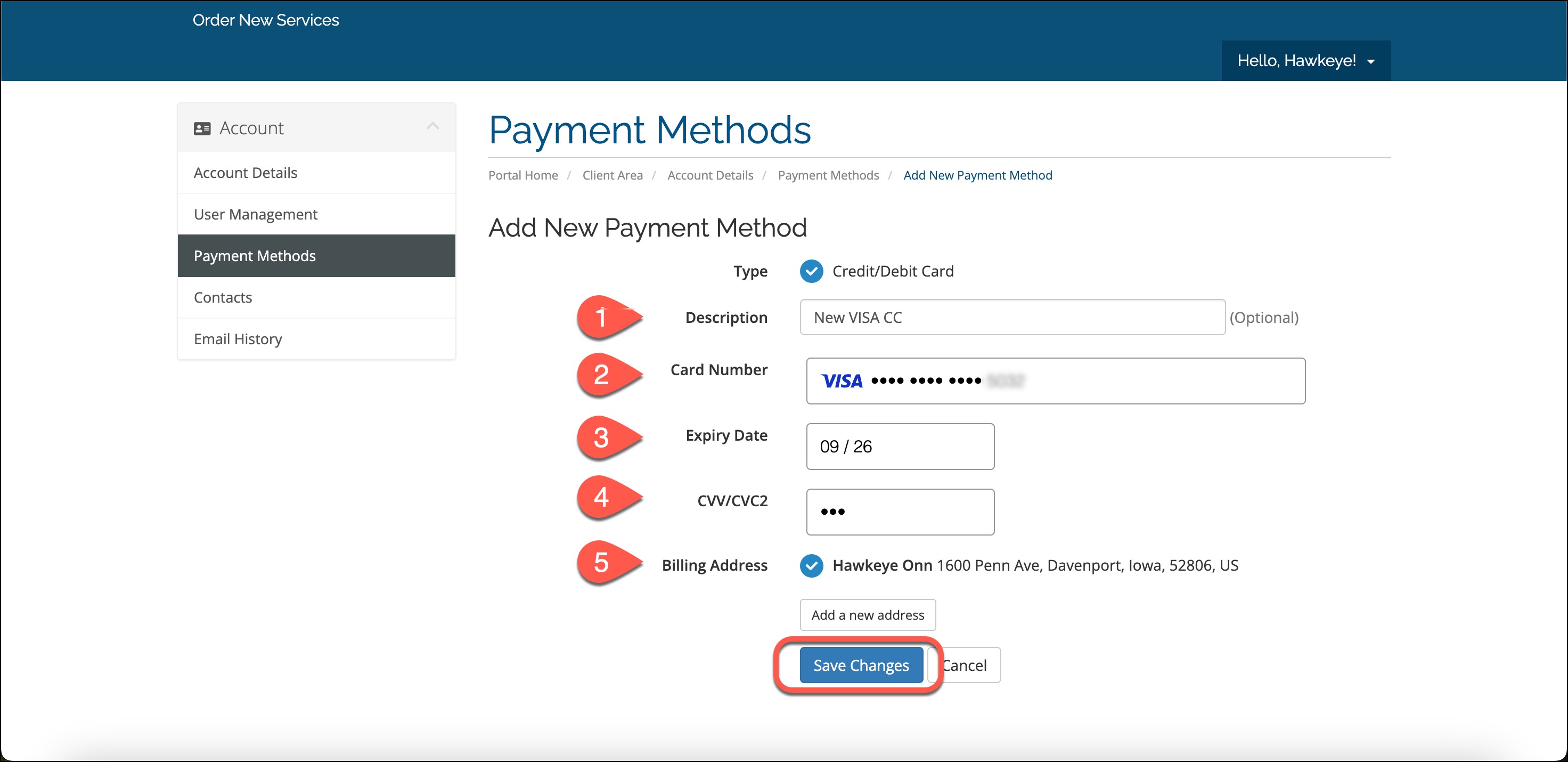
Fill out all of the credit card fields.
Credit card saved successfully. 
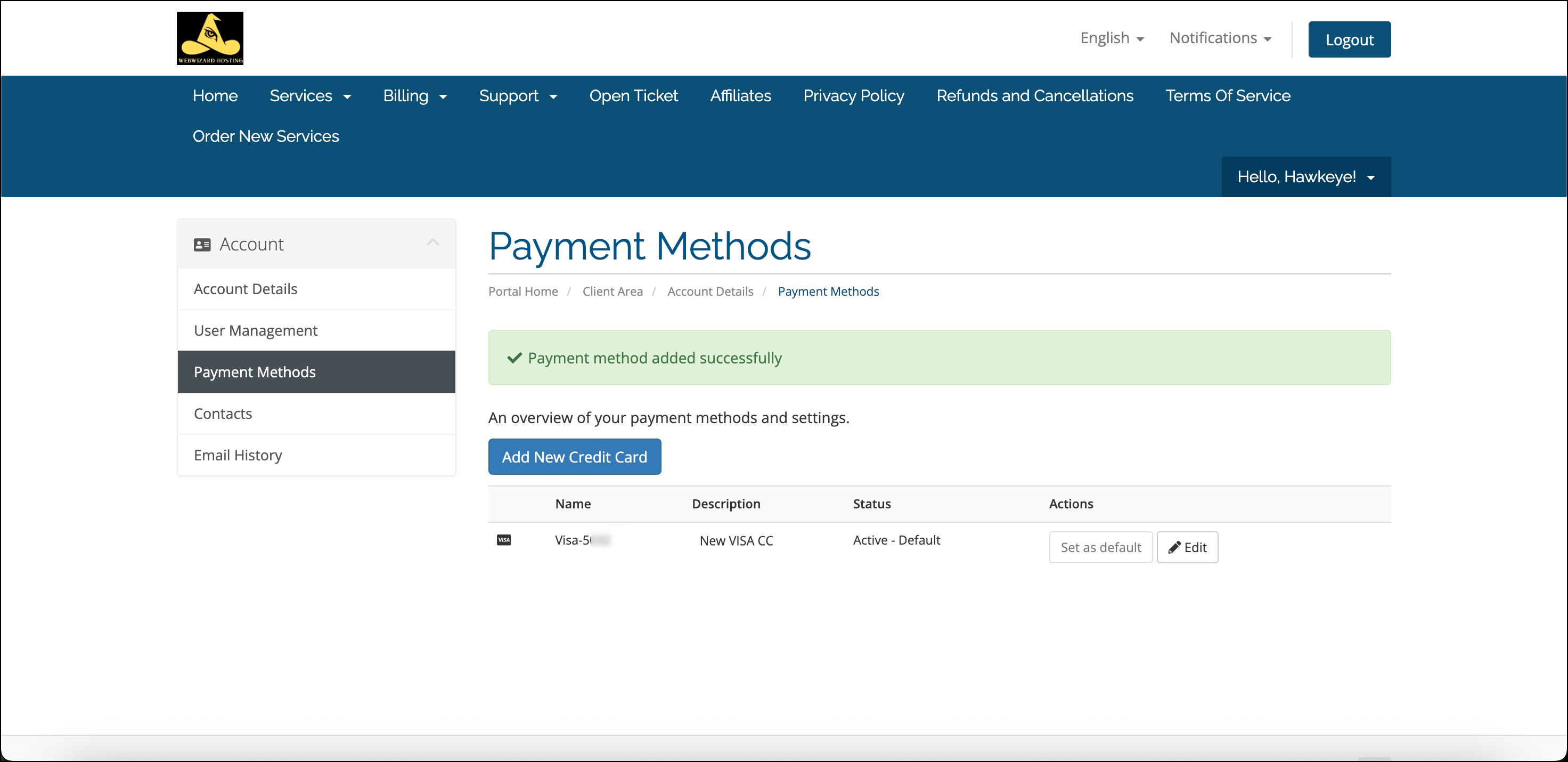
Now you can use this card on your invoices. 

  • 0 Los Usuarios han Encontrado Esto Útil
¿Fue útil la respuesta?

Artículos Relacionados

PayPal - What is an automatic payment and how do I update or cancel one?

An automatic payment, also known as a subscription, billing agreement, or recurring payment,...

How do I change my payment method?

On the invoice click the dropdown underneath "Payment Method" and you can choose between PayPal...

How do I switch from ClearChoice to HawkSuite?

You simply need to cancel your current ClearChoice subscription by clicking on Services > My...

HawkTV - How do I change my number of connections?

To change your number of connections on HawkTV, you simply need to cancel your current...