
HawkTV - How to use multiview

*Note - you will need to have a subscription with more than one connection and an ISP with very good broadband to use the multi-view functionality correctly. 

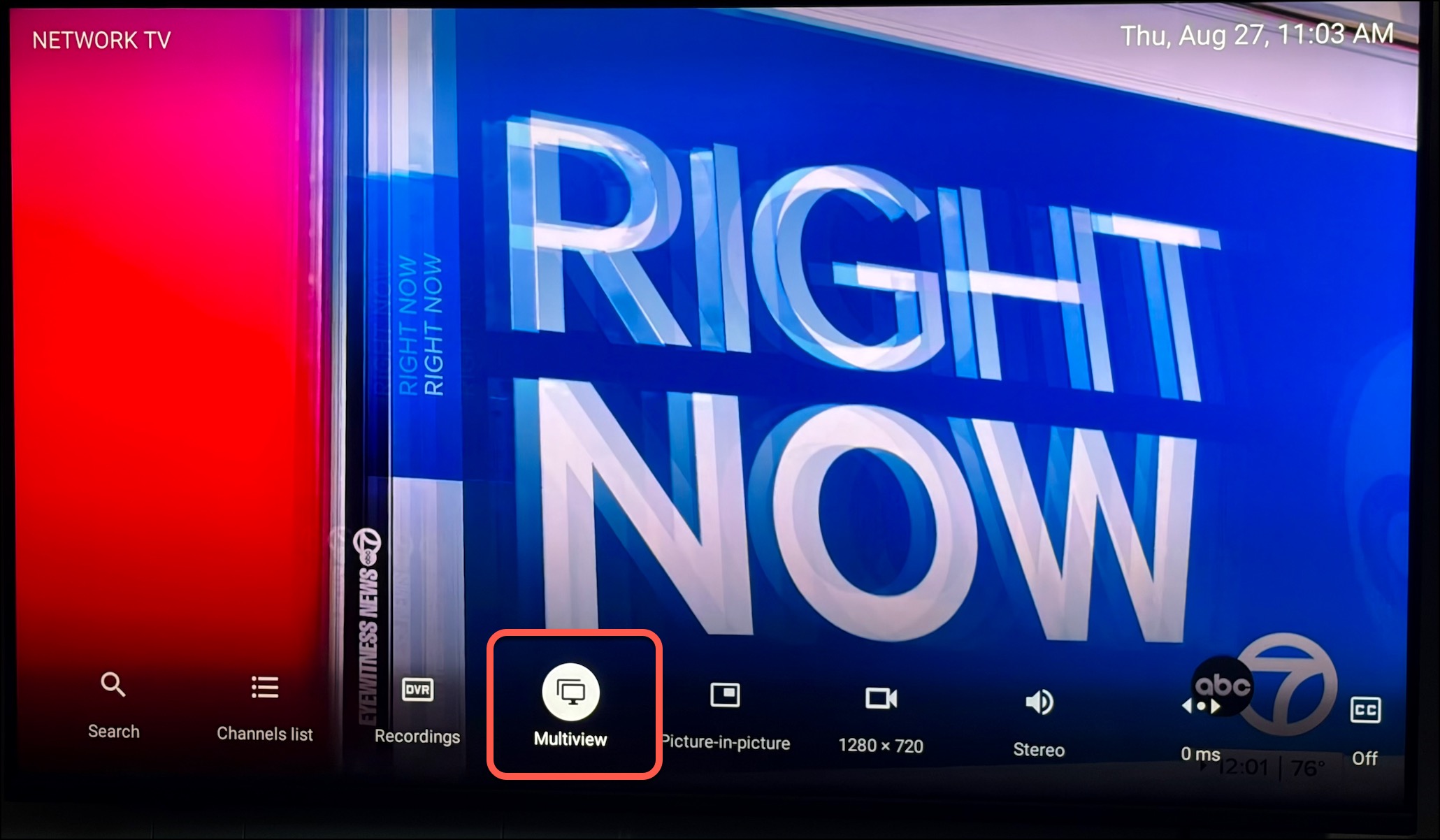
On any channel, Hold the OK button for 3 seconds, this will reveal of bunch of different options at the bottom of the screen. Scroll over to the right and click on "Multiview".
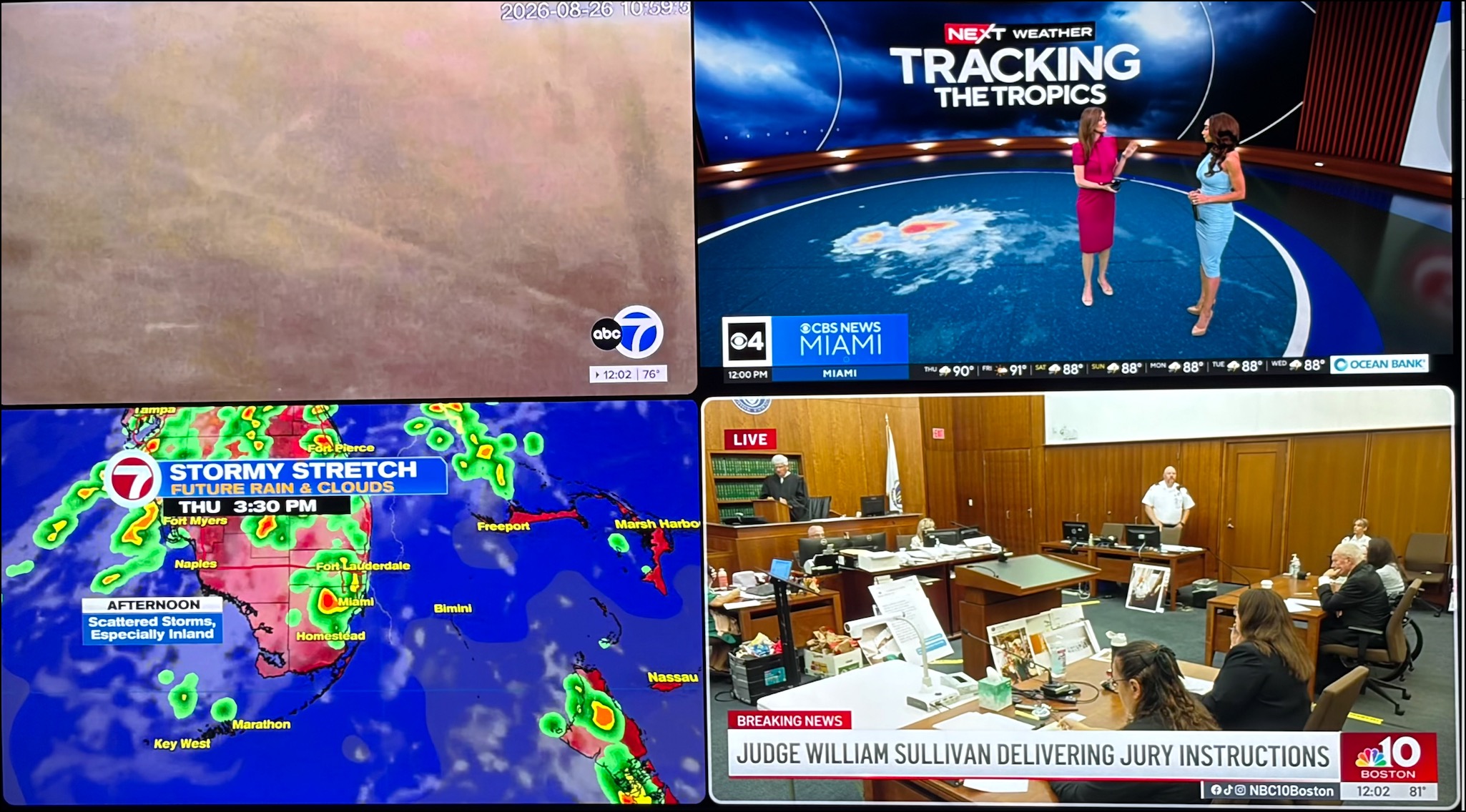
Press OK again and then choose "Add screen", then choose the channel you want to add. You can add up to 4 screens by following the same process.

  • 32 användare blev hjälpta av detta svar
Hjälpte svaret dig?

Relaterade artiklar

HawkTV - Phones / Tablets - Adding the HawkTV Playlist to the Smarters app

Search for the 'Smarters Player Lite' app from the Google Play or Apple App store and install it...

HawkTV - WebPlayer Browser Link for Desktops, Laptops, etc.

WebPlayer Browser App for Laptops, Desktops, etc. (HawkTV Playlist) (*NOTE - this will use a...

HawkTV - How to create custom groups

1) From the TV guide, long-press the OK button on your remote.   2) A menu will pop out on the...

HawkTV - How to add favorites

Adding channels to the Favorites group. From the Guide click on the channel you want to add,...