
HawkTV - How to change player

1) Go to the App Store, then Download and Install the VLC Player.
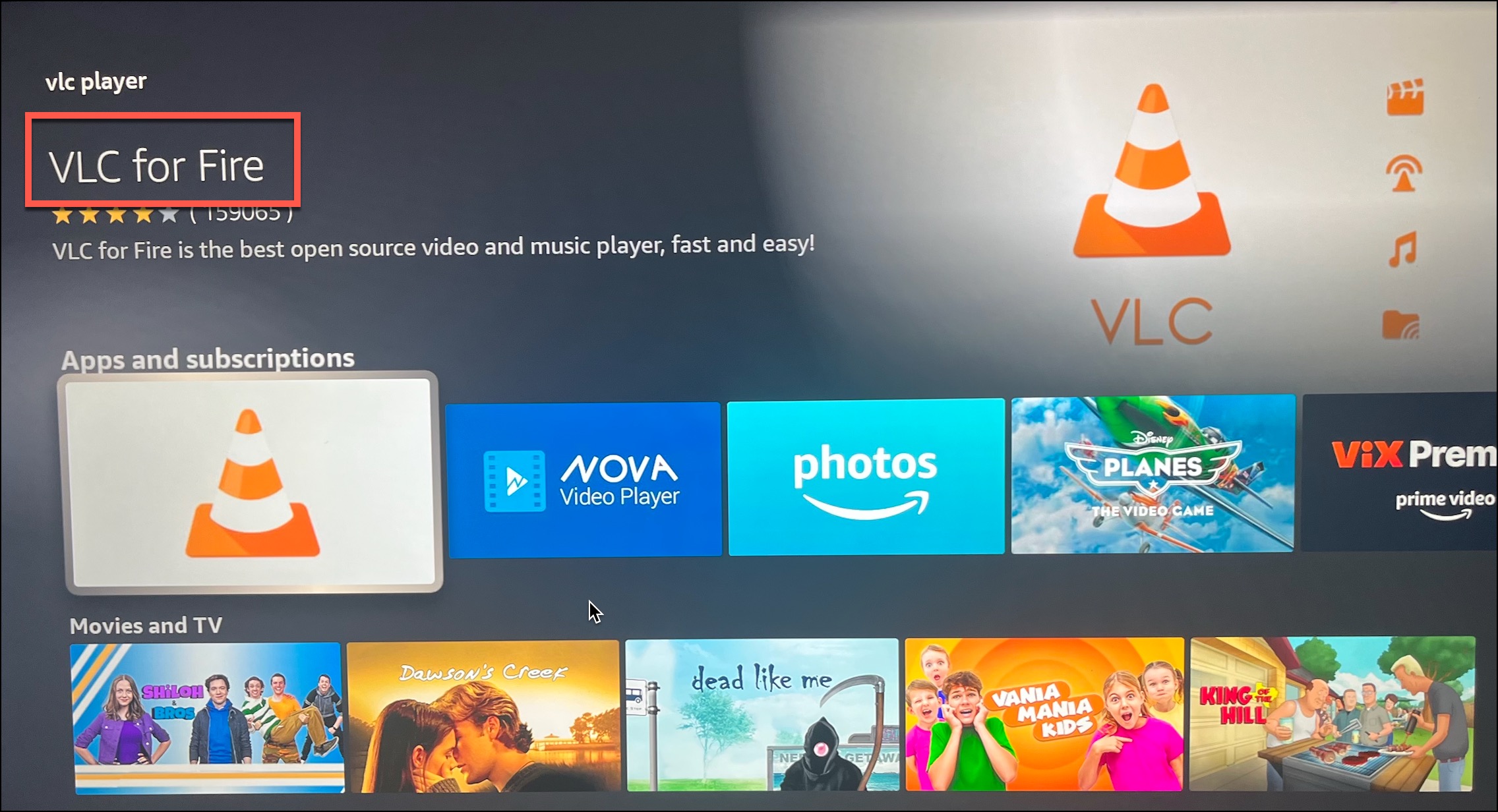
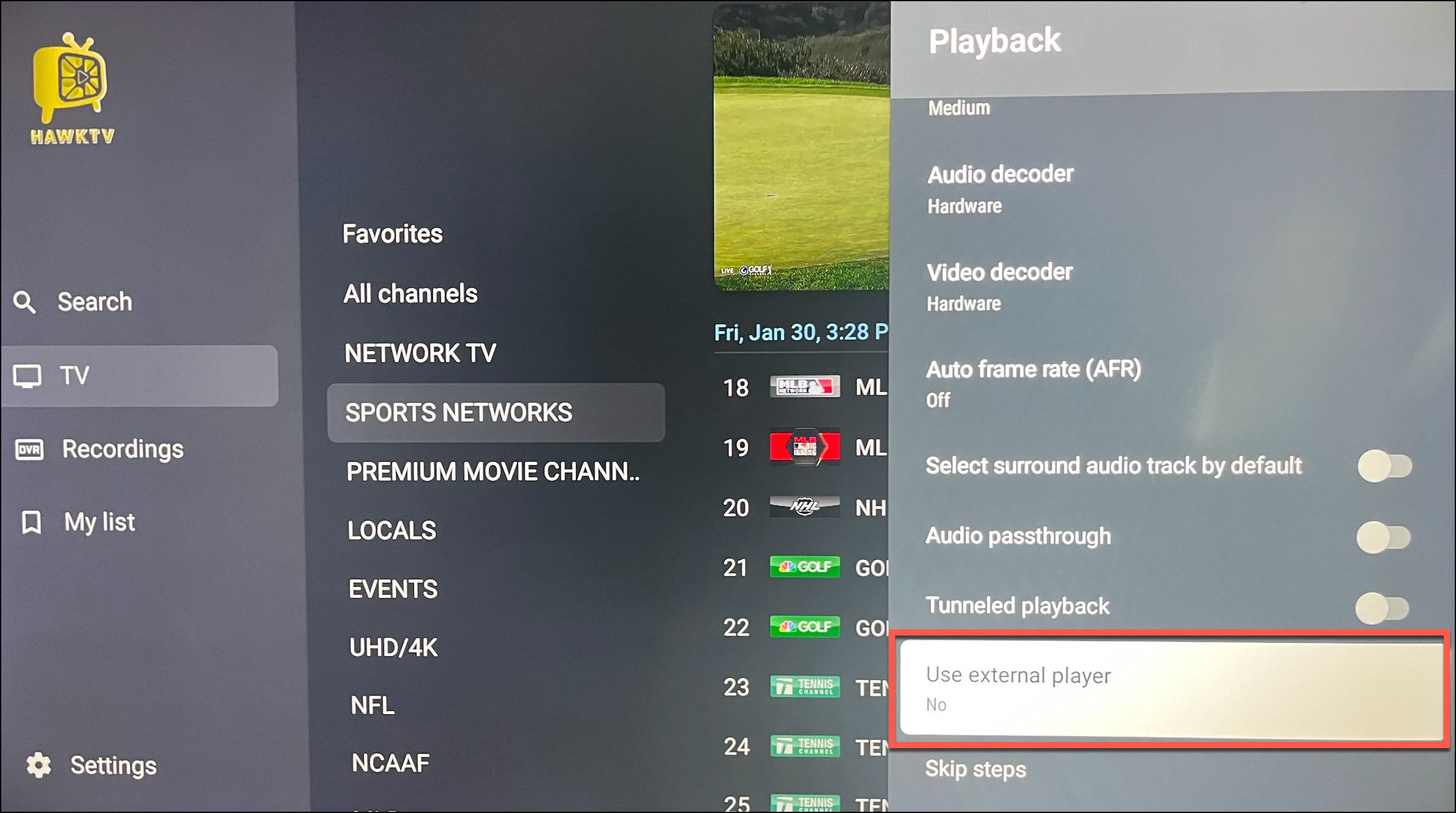
2) Open up HawkTV and navigate to Settings > Playback > Use external player
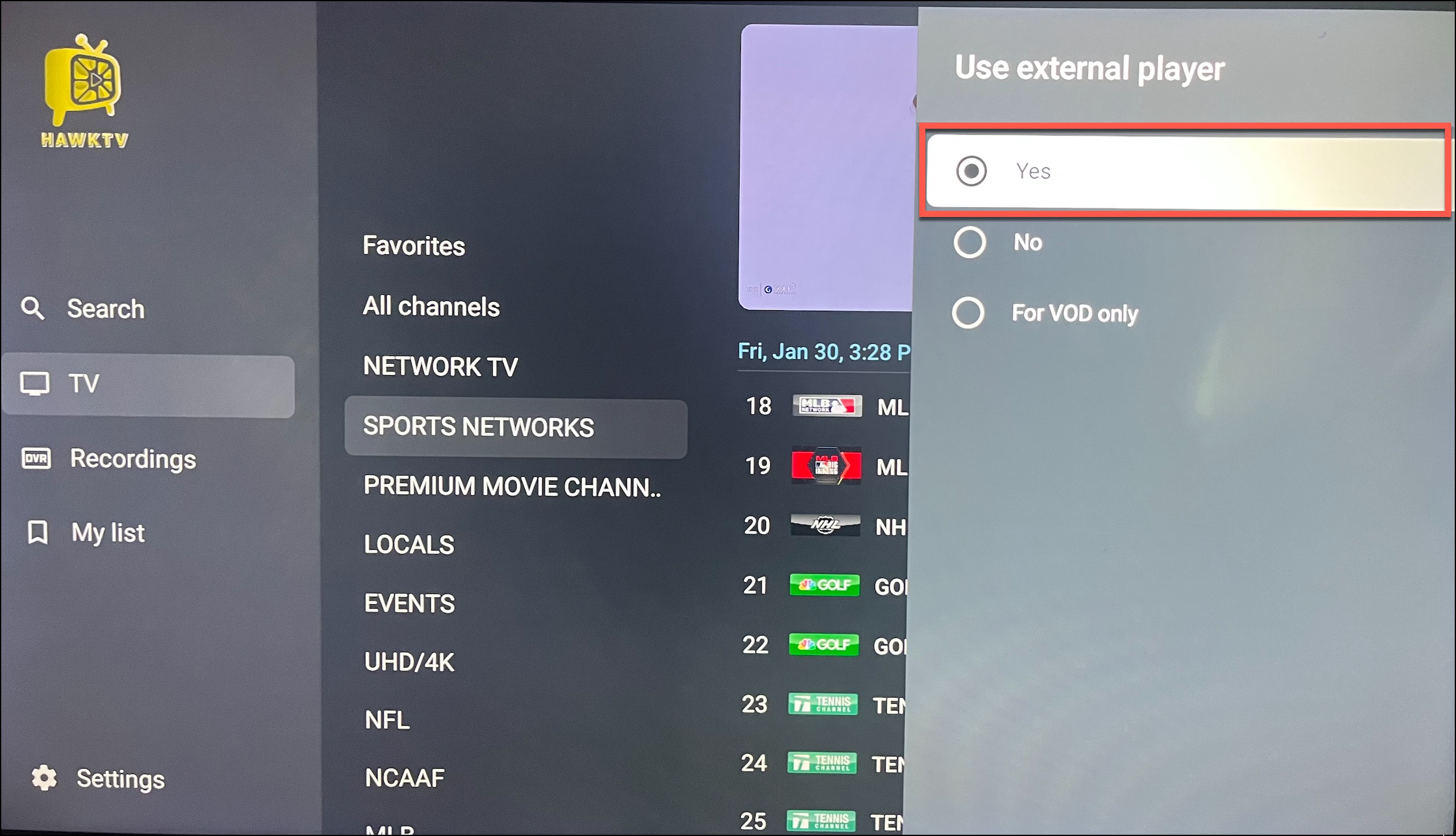
3) Change "Use external player" to Yes
4) Go back to the guide and click on a channel and choose VLC. 
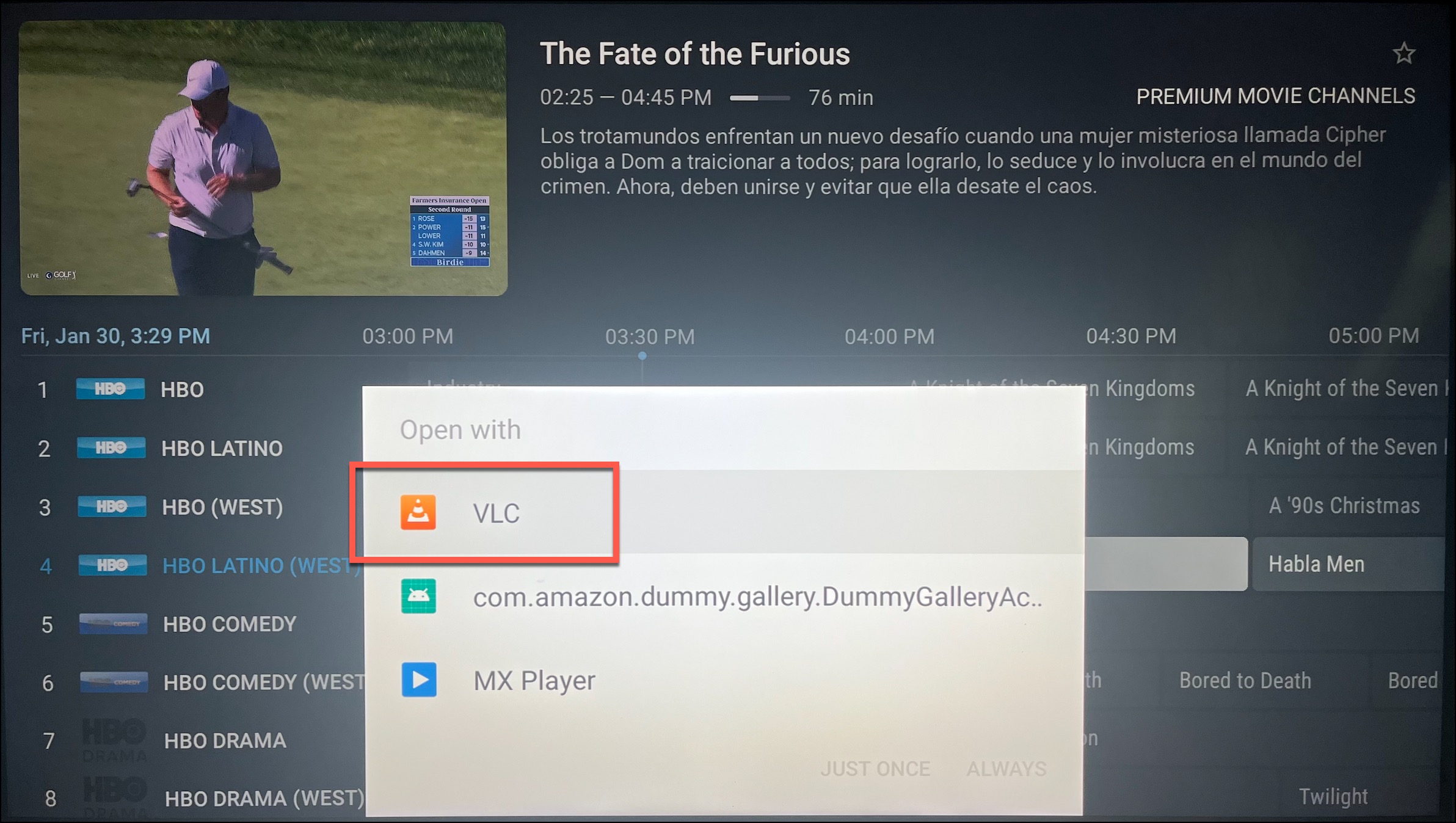
5) Lastly, choose to "Open with VLC Player" and then either "Just Once" or "Always".

*Note - changing the external player does take a little more time when changing channels. 

  • 1 gebruikers vonden dit artikel nuttig
Was dit antwoord nuttig?

Gerelateerde artikelen

HawkTV - How to record to external storage

*Note - the easiest way to record HawkTV is to purchase a device that has optimal storage space....

HawkTV - No Channels Showing Up

If you don't see a 3000+ of channels processed then you most likely have a typo in your password....

HawkTV - Phones / Tablets - Adding the HawkTV Playlist to the Smarters app

Search for the 'Smarters Player Lite' app from the Google Play or Apple App store and install it...

HawkTV - WebPlayer Browser Link for Desktops, Laptops, etc.

WebPlayer Browser App for Laptops, Desktops, etc. (HawkTV Playlist) (*NOTE - this will use a...