
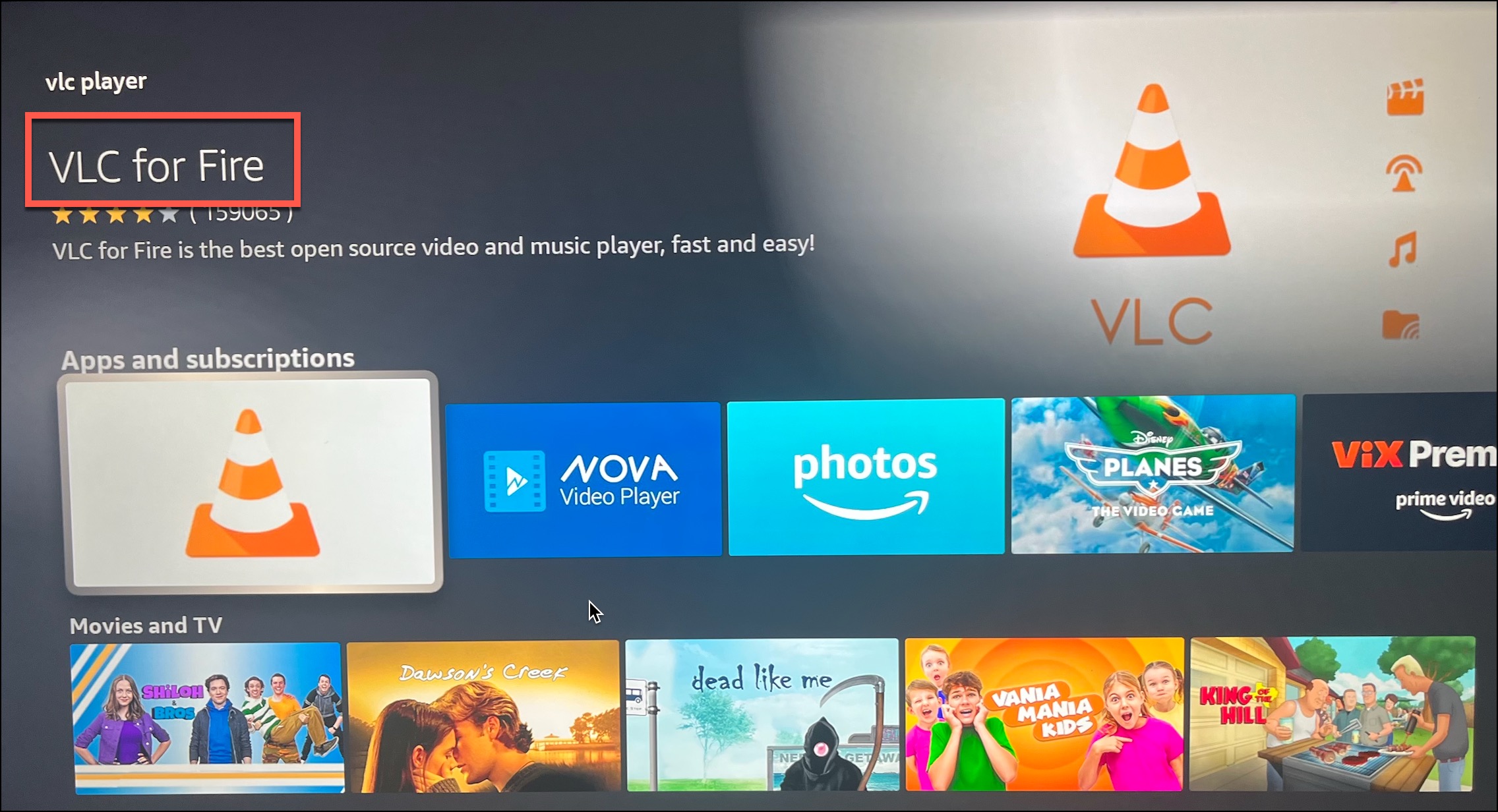
1) Go to the App Store, then Download and Install the VLC Player.
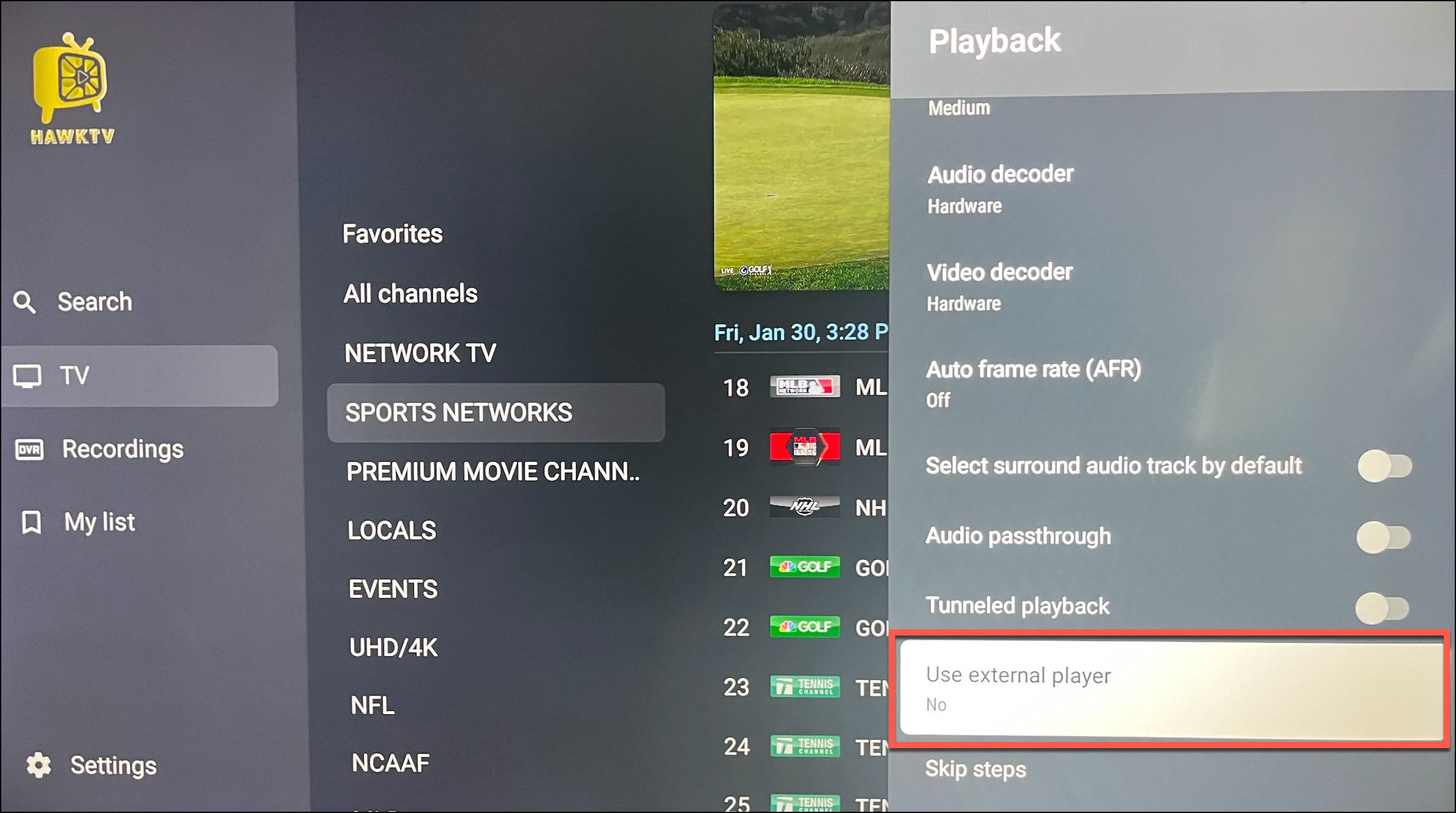
2) Open up HawkTV and navigate to Settings > Playback > Use external player
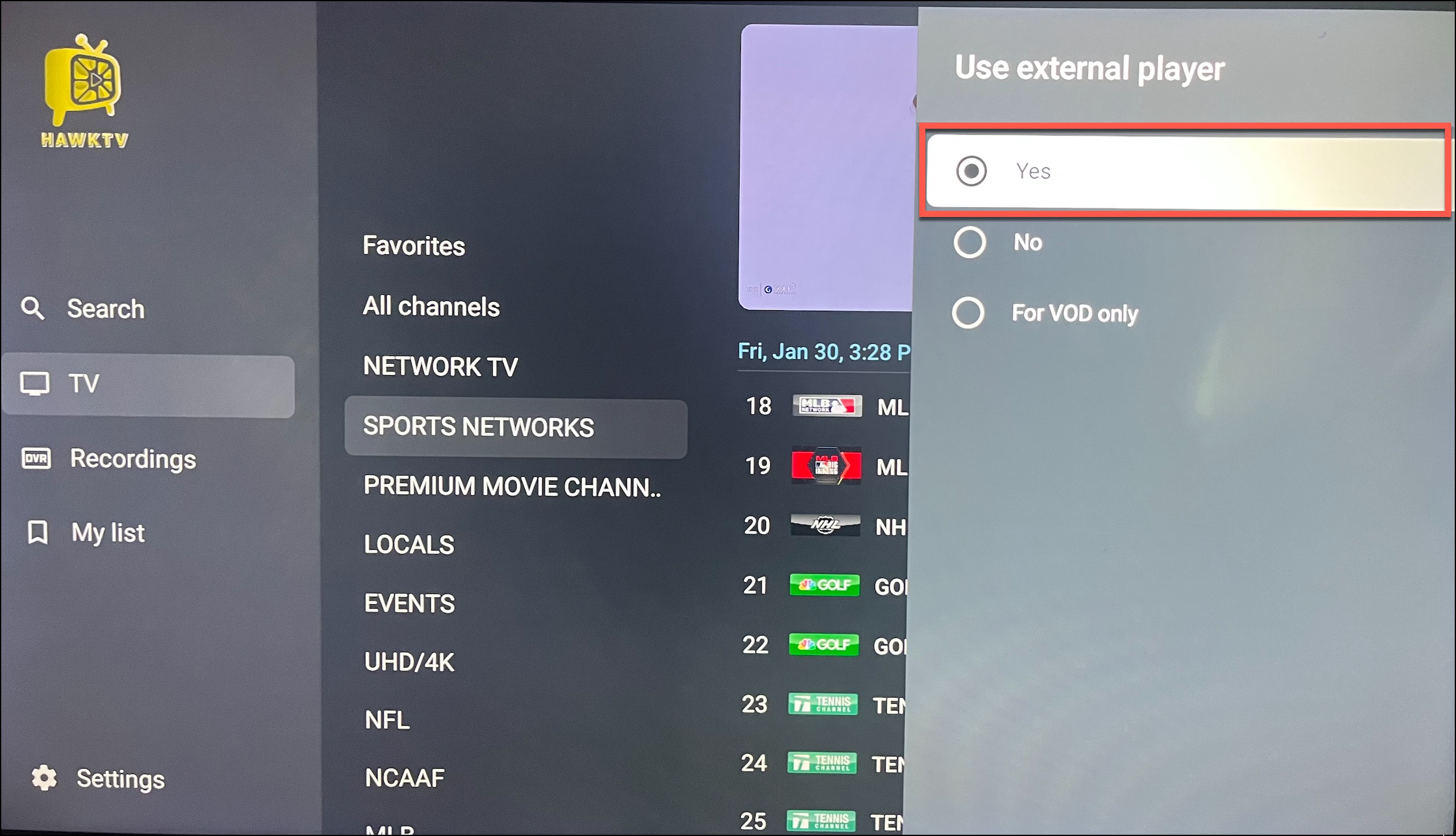
3) Change "Use external player" to Yes
4) Go back to the guide and click on a channel and choose VLC.
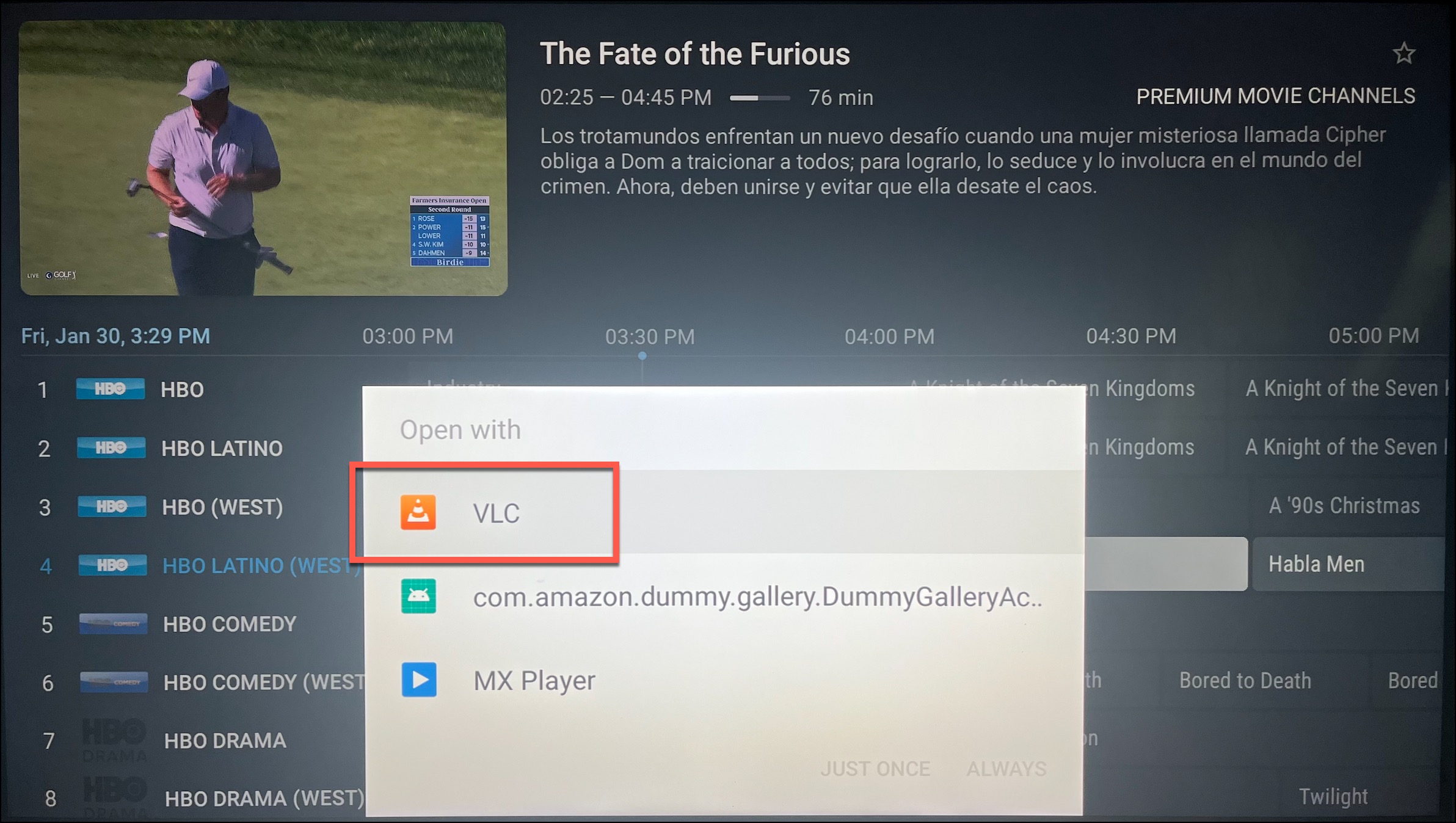
5) Lastly, choose to "Open with VLC Player" and then either "Just Once" or "Always".
*Note - changing the external player does take a little more time when changing channels.